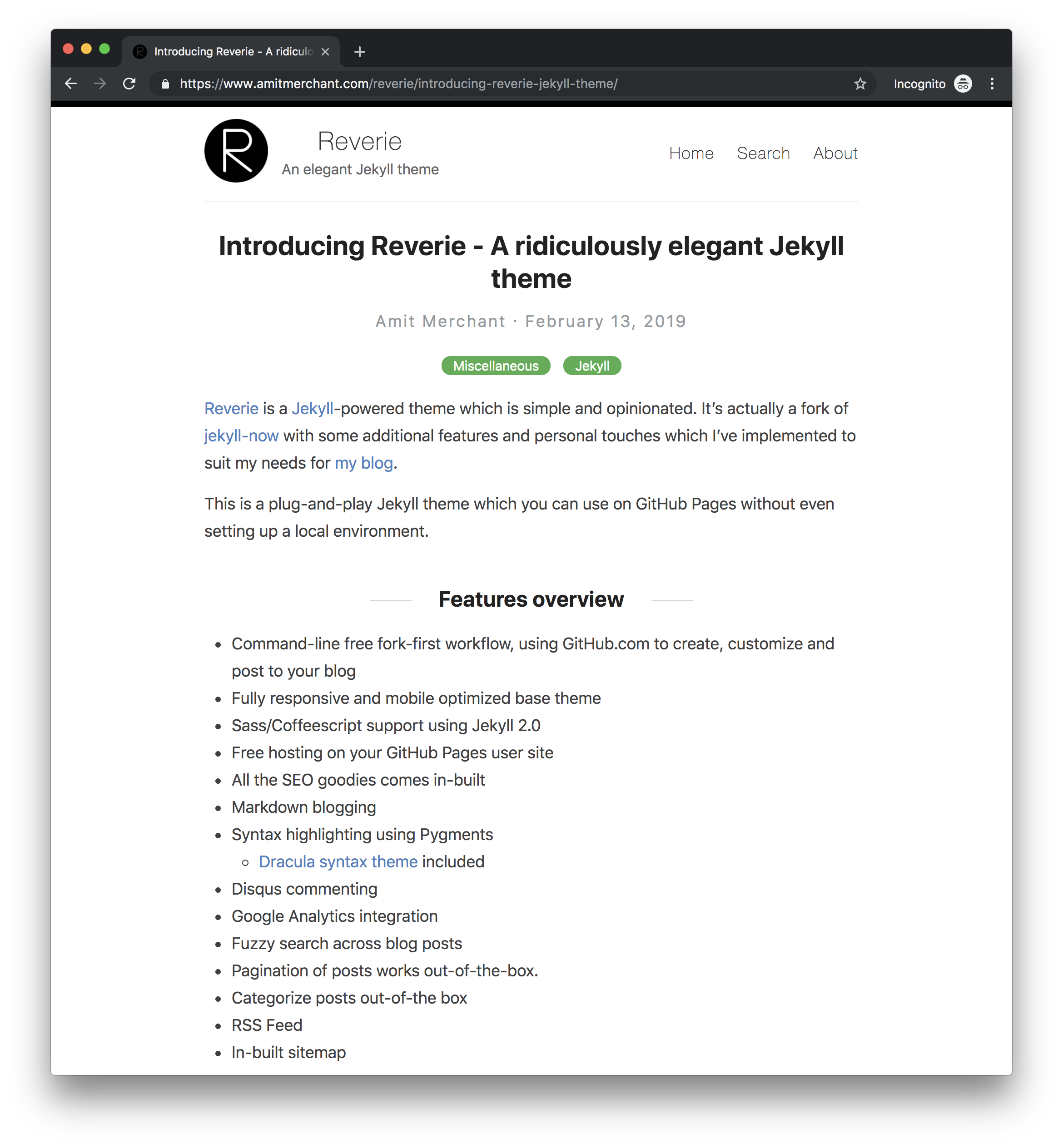
<?xml version="1.0" encoding="utf-8"?><feed xmlns="http://www.w3.org/2005/Atom" ><generator uri="https://jekyllrb.com/" version="3.10.0">Jekyll</generator><link href="https://atnotes.in/feed.xml" rel="self" type="application/atom+xml" /><link href="https://atnotes.in/" rel="alternate" type="text/html" /><updated>2026-06-11T10:21:56+00:00</updated><id>https://atnotes.in/feed.xml</id><title type="html">Akhil Tiwari</title><subtitle>An engineer&apos;s field notes.</subtitle><author><name>Akhil Tiwari</name></author><entry><title type="html">Software Development In The World Of Agents</title><link href="https://atnotes.in/software-development-in-the-world-of-agents/" rel="alternate" type="text/html" title="Software Development In The World Of Agents" /><published>2026-06-11T00:00:00+00:00</published><updated>2026-06-11T00:00:00+00:00</updated><id>https://atnotes.in/software-development-in-the-world-of-agents</id><content type="html" xml:base="https://atnotes.in/software-development-in-the-world-of-agents/"><![CDATA[<p>In today’s rapidly changing tech landscape, AI agents are transforming the way software is developed. Rather than manually writing every line of code, developers now collaborate with intelligent agents that suggest solutions, automate repetitive tasks, and even debug issues. This symbiotic relationship allows teams to move faster and focus on creative problem-solving, while agents take care of the heavy lifting. The future of software development is one where humans and AI agents work hand-in-hand to build better, smarter applications.</p>]]></content><author><name>Akhil Tiwari</name></author><summary type="html"><![CDATA[In today’s rapidly changing tech landscape, AI agents are transforming the way software is developed. Rather than manually writing every line of code, developers now collaborate with intelligent agents that suggest solutions, automate repetitive tasks, and even debug issues. This symbiotic relationship allows teams to move faster and focus on creative problem-solving, while agents take care of the heavy lifting. The future of software development is one where humans and AI agents work hand-in-hand to build better, smarter applications.]]></summary></entry><entry><title type="html">Introducing Reverie - A ridiculously elegant Jekyll theme</title><link href="https://atnotes.in/introducing-reverie-jekyll-theme/" rel="alternate" type="text/html" title="Introducing Reverie - A ridiculously elegant Jekyll theme" /><published>2019-02-13T00:00:00+00:00</published><updated>2019-02-13T00:00:00+00:00</updated><id>https://atnotes.in/introducing-reverie-jekyll-theme</id><content type="html" xml:base="https://atnotes.in/introducing-reverie-jekyll-theme/"><![CDATA[<p><a href="https://github.com/amitmerchant1990/reverie">Reverie</a> is a <a href="https://jekyllrb.com/">Jekyll</a>-powered theme which is simple and opinionated. It’s actually a fork of <a href="https://github.com/barryclark/jekyll-now">jekyll-now</a> with some additional features and personal touches which I’ve implemented to suit my needs for my blog.</p>

<p>This is a plug-and-play Jekyll theme which you can use on GitHub Pages without even setting up a local environment.</p>

<p><img src="/images/reverie-demo.png" alt="" /></p>

<h2 id="features-overview">Features overview</h2>

<ul>
  <li>Command-line free fork-first workflow, using GitHub.com to create, customize and post to your blog</li>
  <li>Fully responsive and mobile optimized base theme</li>
  <li>Sass/Coffeescript support using Jekyll 2.0</li>
  <li>Free hosting on your GitHub Pages user site</li>
  <li>All the SEO goodies comes in-built</li>
  <li>Markdown blogging</li>
  <li>Syntax highlighting using Pygments
    <ul>
      <li><a href="https://draculatheme.com/">Dracula syntax theme</a> included</li>
    </ul>
  </li>
  <li>Disqus commenting</li>
  <li>Google Analytics integration</li>
  <li>Fuzzy search across blog posts</li>
  <li>Pagination of posts works out-of-the-box.</li>
  <li>Categorize posts out-of-the box</li>
  <li>RSS Feed</li>
  <li>In-built sitemap</li>
</ul>

<div style="text-align: center;">
 <script async="" type="text/javascript" src="//cdn.carbonads.com/carbon.js?serve=CE7D6KJY&amp;placement=wwwamitmerchantcom" id="_carbonads_js"></script>
</div>

<h2 id="using-reverie-on-github-pages">Using Reverie on GitHub Pages</h2>

<h3 id="step-1-fork-reverie-to-your-user-repository">Step 1) Fork Reverie to your User Repository</h3>

<p>Fork <a href="https://github.com/amitmerchant1990/reverie">this repository</a>, then rename the repository to <code class="language-plaintext highlighter-rouge">yourgithubusername.github.io</code>.</p>

<p>Alternatively, you can use <a href="https://github.com/amitmerchant1990/reverie/generate">Use this template</a> button if you want to create a repository with a clean commit history which will use Reverie as a template.</p>

<p>Your Jekyll blog will often be viewable immediately at <a href="https://yourgithubusername.github.io">https://yourgithubusername.github.io</a> (if it’s not, you can often force it to build by completing step 2)</p>

<h3 id="step-2-customize-and-view-your-site">Step 2) Customize and view your site</h3>

<p>Enter your site name, description, avatar and many other options by editing the <code class="language-plaintext highlighter-rouge">_config.yml</code> file. You can easily turn on Google Analytics tracking, Disqus commenting and social icons here.</p>

<p>Making a change to <code class="language-plaintext highlighter-rouge">_config.yml</code> (or any file in your repository) will force GitHub Pages to rebuild your site with jekyll. Your rebuilt site will be viewable a few seconds later at <a href="https://yourgithubusername.github.io">https://yourgithubusername.github.io</a> - if not, give it ten minutes as GitHub suggests and it’ll appear soon.</p>

<h3 id="step-3-publish-your-first-blog-post">Step 3) Publish your first blog post</h3>

<p>Create a new file called <code class="language-plaintext highlighter-rouge">/_posts/2019-2-13-Hello-World.md</code> to publish your first blog post. That’s all you need to do to publish your first blog post! This <a href="https://github.com/adam-p/markdown-here/wiki/Markdown-Cheatsheet">Markdown Cheatsheet</a> might come in handy while writing the posts.</p>

<blockquote>
  <p>You can add additional posts in the browser on GitHub.com too! Just hit the <kbd>Create new file</kbd> button in <code class="language-plaintext highlighter-rouge">/_posts/</code> to create new content. Just make sure to include the <a href="http://jekyllrb.com/docs/frontmatter/">front-matter</a> block at the top of each new blog post and make sure the post’s filename is in this format: year-month-day-title.md</p>
</blockquote>

<h2 id="using-categories-in-reverie">Using Categories in Reverie</h2>

<p>You can categorize your content based on <code class="language-plaintext highlighter-rouge">categories</code> in Reverie. For this, you just need to add <code class="language-plaintext highlighter-rouge">categories</code> in front matter like below:</p>

<p>For adding single category:</p>

<div class="language-md highlighter-rouge"><div class="highlight"><pre class="highlight"><code>categories: JavaScript
</code></pre></div></div>

<p>For adding multiple categories:</p>

<div class="language-md highlighter-rouge"><div class="highlight"><pre class="highlight"><code>categories: [PHP, Laravel]
</code></pre></div></div>

<p>The contegorized content can be shown over this URL: <a href="https://yourgithubusername.github.io/categories/">https://yourgithubusername.github.io/categories/</a></p>

<h2 id="rss">RSS</h2>

<p>The generated <a href="https://en.wikipedia.org/wiki/RSS">RSS feed</a> of your blog can be found at <a href="https://yourgithubusername.github.io/feed">https://yourgithubusername.github.io/feed</a>. You can see the example RSS feed over <a href="https://www.amitmerchant.com/reverie/feed">here</a>.</p>

<h2 id="sitemap">Sitemap</h2>

<p>The generated sitemap of your blog can be found at <a href="https://yourgithubusername.github.io/sitemap">https://yourgithubusername.github.io/sitemap</a>. You can see the example sitemap feed over <a href="https://www.amitmerchant.com/reverie/sitemap">here</a>.</p>

<h2 id="license">License</h2>

<p>MIT</p>]]></content><author><name>Akhil Tiwari</name></author><category term="Miscellaneous" /><category term="Jekyll" /><summary type="html"><![CDATA[Reverie is a Jekyll-powered theme which is simple and opinionated. It’s actually a fork of jekyll-now with some additional features and personal touches which I’ve implemented to suit my needs for my blog.]]></summary></entry></feed>